




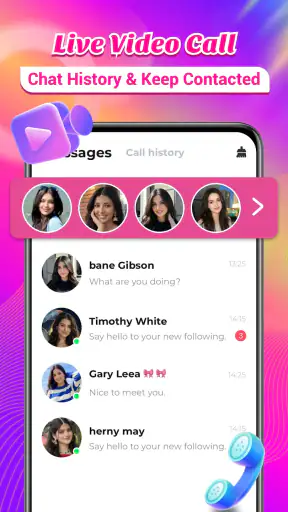
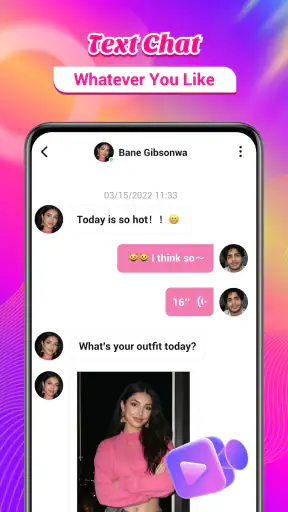
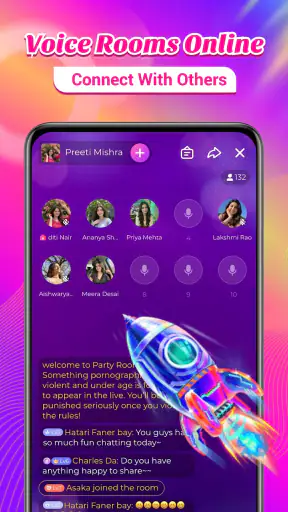
Making a new connection online can feel very different when the conversation is live instead of being limited to profiles and text. Livmet Pro: Voice & Video Chat focuses on that immediate experience, putting voice and video conversations at the center of its social purpose. I found it most interesting as a way to move quickly from browsing to an actual exchange, although that same speed means it is not the right fit for everyone.
This is a free lifestyle app from Muhammad Studio, aimed at adults who want to talk online and meet people through live communication. It has a mature 17+ rating, so I would not treat it as a general-purpose social app for younger users. The current version is 1.8.0.5193 and it runs on Android 6.0 or later, making compatibility fairly broad for people using older Android phones.
Its popularity is easy to understand: the app has passed five million installs and holds a 4.6 average from around 86 thousand ratings. Those figures suggest that the basic idea has found a substantial audience, but they do not replace the more important question: does a live video-chat format suit the way you actually like to socialize?
Live conversation is the main capability, not a side feature
Why voice and video change the experience
The defining strength here is the move from passive discovery to direct conversation. In many social apps, you spend most of your time looking at photos, reading short descriptions, or waiting for a message. Livmet Pro is built around the moment when two people begin talking. A voice call can feel more relaxed when you are not ready to appear on camera, while video adds facial expressions and visual reactions that text cannot provide.
In my experience, that makes the app feel more immediate than a conventional messaging service. You can get a better sense of whether a conversation feels natural without exchanging a long chain of messages first. A pause, a laugh, or a change in tone often tells you more than a carefully written profile line.
That immediacy is also the main trade-off. A live call asks for attention right away. There is less time to compose an answer, decide how much to reveal, or quietly assess someone before responding. I would therefore describe the app as conversation-first rather than profile-first. It is strongest when you want interaction now, not when you want a slow, highly filtered approach to meeting people.
What I would expect before starting a call
A useful way to approach the app is to set a personal boundary before opening a conversation. Decide whether you are comfortable with voice, video, or neither until you know the other person better. I would also avoid treating a friendly first call as proof that someone is trustworthy. Live communication can create a quick feeling of familiarity, but it does not replace normal caution.
The mature rating matters in practical terms. I would use the app only if I were comfortable with adult-oriented social interaction and with the possibility that conversations may be unpredictable. Anyone looking for a child-friendly chat environment should choose a different kind of service instead of trying to make this one fit.
The small workflow that makes it easier to use
My preferred routine would be simple: begin with voice when possible, keep the first exchange short, and move to video only when the conversation feels comfortable. This is a more useful workflow than turning on the camera automatically. It lowers the pressure of the first contact while still leaving room for a more personal conversation later.
I would also use headphones in a shared home and check the camera framing before accepting a video conversation. Those details sound minor, but they reduce awkward interruptions and help keep the call focused. A neutral background is useful too, especially because video can reveal more about your surroundings than you intended.
Another practical tip is to avoid sharing identifying details during the first few conversations. Do not use a live call as a reason to disclose your address, workplace routine, private contact details, or financial information. The app’s central capability is valuable because it creates connection quickly; it also means you should decide in advance what information stays private.
How it compares with ordinary social alternatives
Compared with a text-based social app, Livmet Pro gives you faster feedback about conversational chemistry. You do not have to spend as long guessing whether a message reflects someone’s real personality. Compared with a traditional voice-calling service, it is more focused on meeting people rather than simply keeping in touch with contacts you already know.
That focus makes it less suitable than a messaging app for carefully planned conversations, group coordination, or long written discussions. It is also not a replacement for a familiar video meeting tool when you need structured calls for work, school, or family events. The advantage is its social spontaneity; the weakness is that spontaneity brings less control.
How the experience works in everyday use
Starting with the right expectations
The store summary describes the app as a place for video calls and video chat with people online. I would read that as an invitation to interact, not as a promise that every conversation will be meaningful. The quality of the experience depends heavily on who is available, how well people communicate, and whether both sides respect the same boundaries.
For that reason, I would not install it expecting a guaranteed stream of perfect conversations. I would install it if I enjoyed meeting unfamiliar people and could handle a call ending quickly or going nowhere. That mindset prevents the app from feeling disappointing when the social chemistry is uneven.
A good first session should be treated as a test of comfort rather than a search for a permanent connection. Try a few brief conversations, notice whether the pace suits you, and decide whether you prefer voice or video. This approach also helps you learn whether you enjoy the app’s central format before spending any money inside it.
A realistic evening scenario
Imagine finishing work or study and wanting a little conversation without arranging plans in advance. You open the app, choose a live interaction, and begin with voice because you are tired and do not want to prepare for the camera. If the other person is easy to talk to, you can continue; if the exchange feels forced, you can leave without having invested an entire evening in messages.
That is where I see the clearest everyday value. The app can fill the gap between being alone and making a formal social plan. It may suit someone who enjoys spontaneous conversations after a long day, particularly when text chat feels too slow or impersonal.
The same scenario also shows the limitation. If you need quiet time, have a weak connection, or are not in the mood to respond immediately, a live-chat app can feel demanding rather than relaxing. I would not open it automatically whenever I felt bored. I would use it when I genuinely wanted to give another person my attention.
Handling the social pace
Live video can make conversations feel more genuine, but it can also expose differences in communication style very quickly. Some people speak constantly, while others need time to warm up. Some prefer a short call, and others may expect a longer exchange. I found that being clear early helps: a simple statement that you have only a few minutes can prevent confusion.
Ending a call politely is another useful skill. You do not owe a stranger an extended conversation, and you do not need to justify leaving in detail. If the interaction becomes uncomfortable, ending it is the sensible choice. The best experience comes from treating the call as an optional social meeting, not as an obligation.
What the free model means
Livmet Pro is free to install and use as an entry point, but it includes in-app purchases ranging from $0.49 to $164.99 per item. That is a wide span, so I would be careful before buying anything. The free starting point lets you judge whether the live-chat format works for you, which is exactly why I would not spend immediately.
Before confirming a purchase, I would check what the item does, whether it is necessary for the type of conversation I want, and whether the benefit is temporary or ongoing. A social app can make optional spending feel tempting when you are trying to improve a disappointing interaction. I would set a firm budget beforehand and never treat payment as a way to guarantee attention or better connections.
This is one of the most important differences between trying the app casually and using it regularly. Someone who only wants occasional conversations may be perfectly satisfied with the free starting experience. Someone who wants to use every available social option should pay closer attention to the purchase flow and keep spending under control.
Where the app can create friction
The first friction is emotional rather than technical: video requires confidence. Even people who enjoy meeting others may dislike being seen unexpectedly or may feel pressure to look and sound engaging immediately. Voice chat reduces that pressure, but it still demands a quick response and a willingness to talk with someone unfamiliar.
The second is inconsistency. Not every call will match your interests, communication style, or available time. That is normal for an open social environment, but it means the app rewards patience. If you need predictable results, a service built around existing friends or selected contacts will probably feel more comfortable.
The third is privacy awareness. A camera shows more than your face, and a conversation can reveal personal information through casual comments. I would use a private setting, keep notifications from displaying sensitive details on a shared screen, and avoid moving to another platform just because a stranger suggests it quickly.
Who benefits most from the live format
I think the strongest audience is adults who enjoy spontaneous one-to-one interaction and prefer hearing or seeing a person rather than exchanging long messages. It can also suit people who have moved to a new place, work unusual hours, or simply want a low-commitment way to meet someone online.
People who are shy may still find value here, but I would start with voice and keep expectations modest. The app does not remove the nervousness of meeting someone new; it only makes the meeting more direct. A short, manageable call is a better first step than forcing yourself into a long video session.
On the other hand, I would skip it if I dislike talking to strangers, need strong control over who can contact me, or want a social platform centered on written communities. I would also choose another option for professional meetings, private family calls, or conversations where every participant is already known.
Device and account considerations
Because the app supports Android 6.0 and later, it is accessible on a broad range of Android devices. Still, compatibility does not guarantee an equally comfortable call on every phone. Older hardware, limited storage, a crowded background, or an unreliable connection can make live video less pleasant than voice.
I would begin by testing a short call rather than assuming the phone will handle a long session comfortably. Keep the device charged, use a stable connection, and switch to voice if video becomes distracting. These choices preserve the main benefit—real-time conversation—without making the camera the only measure of success.
The developer behind the app is Muhammad Studio, and the current release is identified as version 1.8.0.5193. For a person deciding whether to try it, the practical takeaway is to keep the app updated through the normal store process and judge it by the conversations you can comfortably have, not simply by the size of its audience.
My final view after weighing the trade-offs
I see Livmet Pro as a focused social tool rather than an all-purpose communication app. Its best idea is straightforward: voice and video can turn an online introduction into a real conversation much faster than text. When that is what I want, the format feels more personal and less repetitive than scrolling through profiles or waiting for replies.
Its limits come from the same design choice. Live interaction is less private, less predictable, and more demanding than messaging. The mature rating, optional purchases, and open-ended nature of meeting unfamiliar people mean that users need sensible boundaries. I would not recommend it to someone who wants a carefully moderated, slow-paced social experience.
For an adult who enjoys spontaneous online conversation, I think the free entry point is worth exploring. Start with voice, keep the first calls brief, protect personal information, and avoid spending until the app has proved useful in your own routine. The real benefit is not simply seeing another person on screen; it is discovering quickly whether a conversation feels natural.
That makes the app a reasonable choice for casual connection, especially when text feels too distant and a traditional calling app feels too formal. I would recommend it to a friend who wanted to meet people through live conversation, with the clear advice to stay selective and keep control of the pace. If spontaneous calls sound stressful rather than enjoyable, a conventional messaging or contact-based video app will likely be the better choice.


